Audit known bloat
Scan high-signal hidden-storage locations, large app folders, and common creator/developer caches.
 NomoSpace
Local-first Mac Storage Auditor
See the hidden storage behind a full Mac. Understand what created it, inspect cleanup risk, and decide what to move to Trash. Audits are free; cleanup and reports require an access code.
v0.2.1 beta · ad-hoc signed and not notarized · for testing only
The storage problem
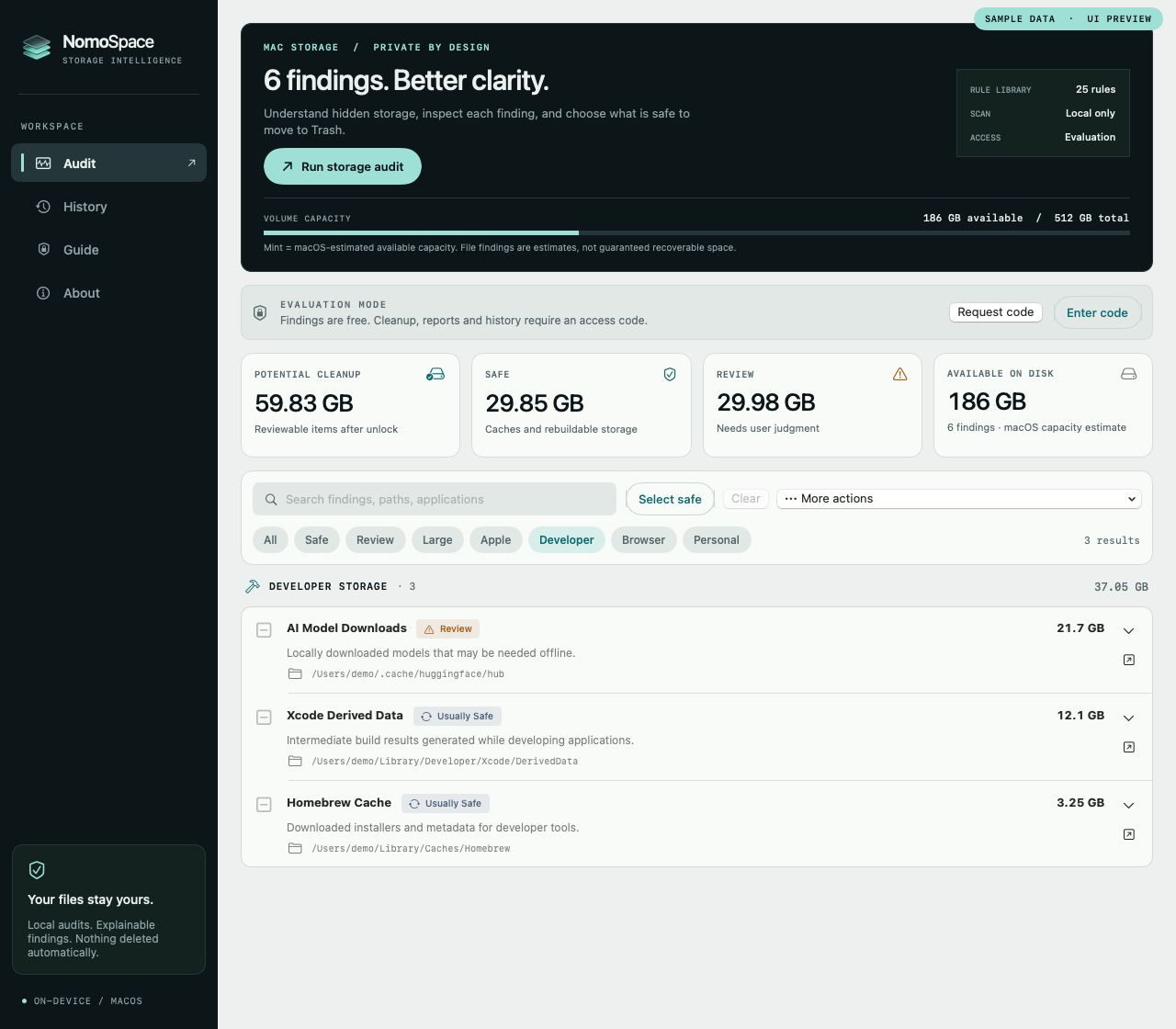
Apple Storage can say that System Data is huge. It rarely explains which Library folder, tool cache, app resource, or generated artifact is responsible. nomospace turns that uncertainty into a short, risk-labeled cleanup plan.
Built first for Mac photographers, creators, developers, and family tech helpers dealing with unexplained System Data, app caches, or full disks they cannot safely interpret on their own.
Solution
Scan high-signal hidden-storage locations, large app folders, and common creator/developer caches.
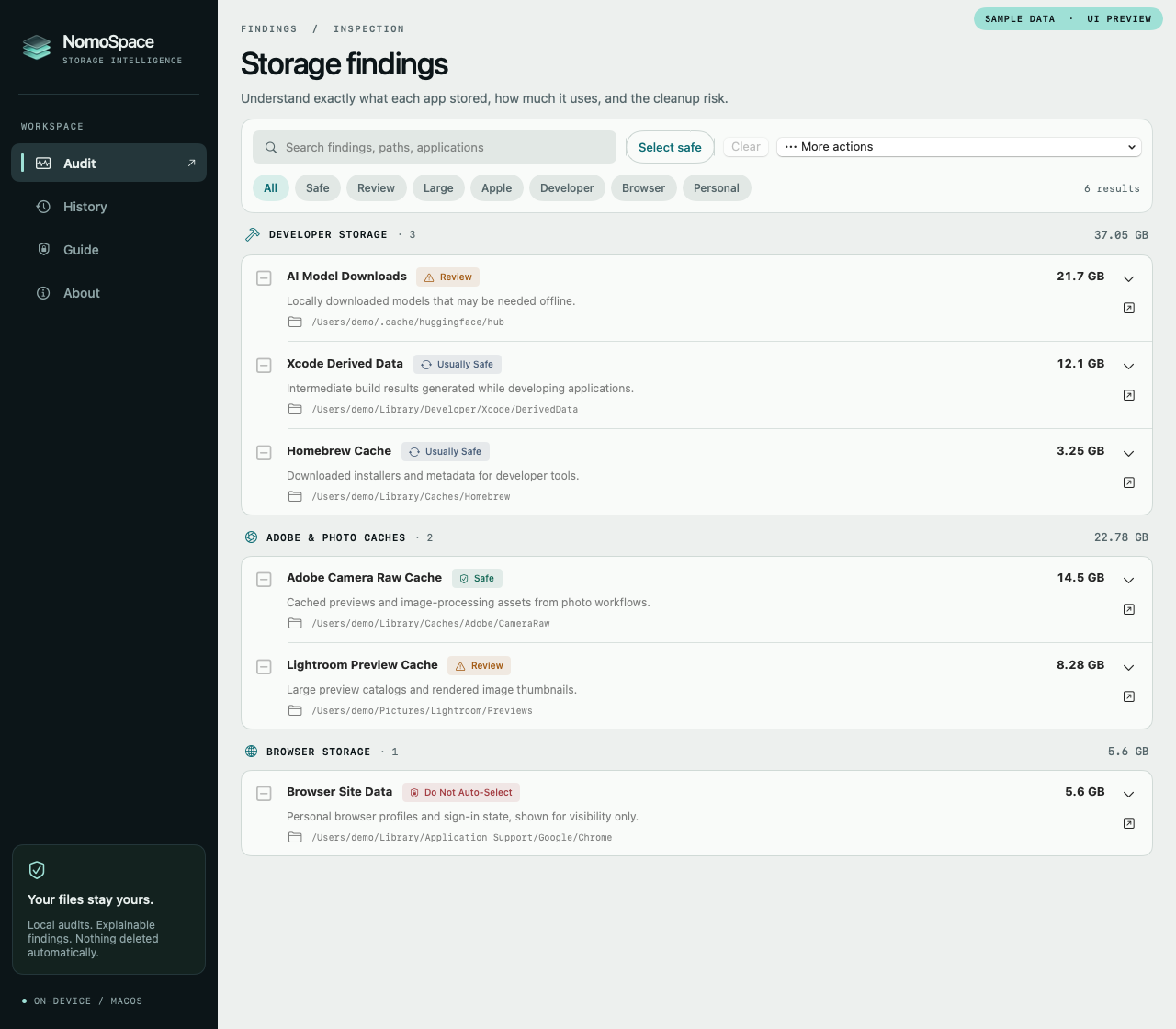
Each finding shows the path, source, cleanup label, and what may happen if the item is removed.
Evaluation mode shows findings first. An access code enables Trash-first cleanup and local PDF reports.
Rule library
nomospace focuses on high-pain Mac storage patterns and gives each finding a plain-English risk label before anything is selected.
Hidden Apple downloads that can consume tens of GB without obvious user action.
Rebuildable previews, Camera Raw cache, and workflow storage created by creator apps.
Developer artifacts that grow quietly and can usually be recreated after cleanup.
Package downloads and build caches that tools redownload when needed.
Visible storage without blind cleanup, because profiles and personal data need judgment.
Trust model
Findings, file names, paths, browser data, and cleanup history stay on the Mac. Browser-related findings are marked for review, not inspected for passwords.
Safe, Usually Safe, Review, and Protected labels make cleanup decisions explicit.
Full access moves selected items to macOS Trash, not permanent deletion. Users empty Trash later if the result looks right.
Skipped paths are shown so users know when Full Disk Access would improve accuracy.
Positioning
Founding beta
Try the direct-download evaluation build first. It runs the local audit, shows findings, explains risk, and supports search and filters. A full-access code enables cleanup, PDF reports, and local cleanup receipts.
Full-access code
$19
Suggested founding beta price
Ready for beta users
Get a local-first evaluation audit that explains the bloat before asking for cleanup access.